
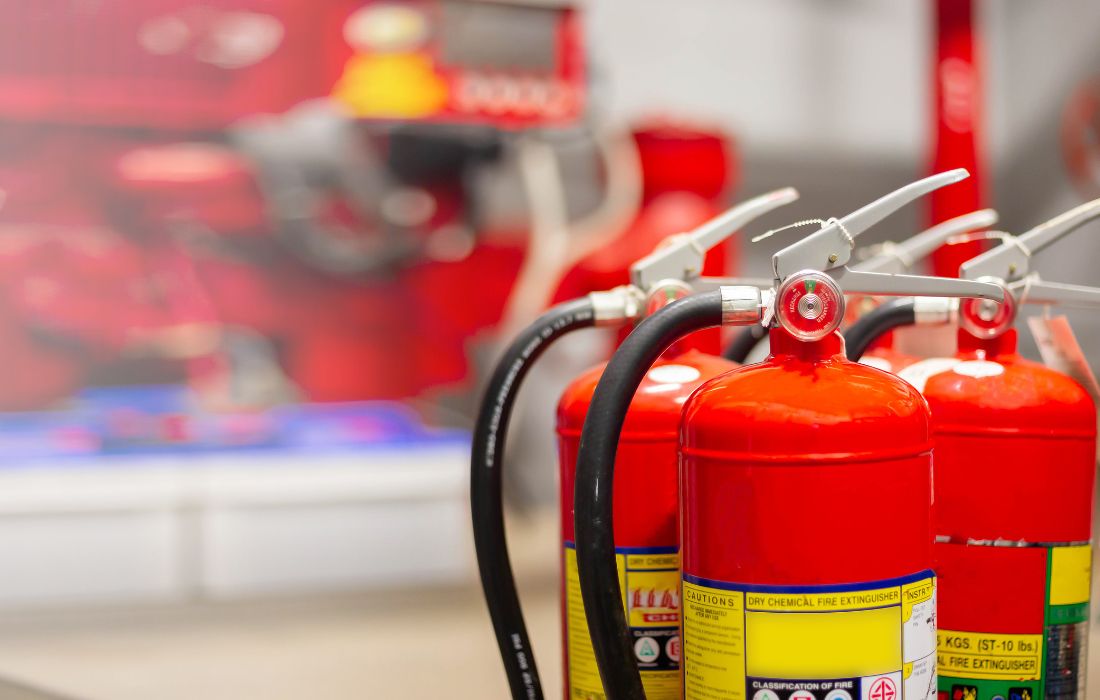
When it comes to ensuring fire safety, fire extinguisher software is an essential tool for managing fire safety equipment effectively. This software helps organizations maintain compliance with regulations while ensuring that their fire extinguishers are functional. As businesses increasingly rely on technology for safety compliance, selecting the right software is crucial. This guide explores the top features to seek in fire extinguisher software, enhancing your overall fire safety management.
Understanding Fire Extinguisher Software
What is Fire Extinguisher Software?
Fire extinguisher software is a specialized tool that helps organizations manage the inspection, maintenance, and compliance of fire extinguishers. It allows users to track the status of their fire safety equipment, schedule inspections, and generate reports to ensure adherence to local regulations and safety standards.
Importance of Fire Safety Software
Investing in fire safety software can greatly improve an organization’s ability to maintain safety standards. With features like automated reminders, mobile access, and detailed reporting, fire extinguisher software streamlines management. This not only ensures compliance but also fosters a culture of safety within the workplace.
Essential Features of Equipment Inspection Software for Compliance Tracking
Automated Compliance Checks
A key function of fire extinguisher software is ensuring compliance with local, state, and national regulations such as NFPA 10 (National Fire Protection Association), which outlines the standards for portable fire extinguishers. Automated compliance checks keep organizations up-to-date with fire safety standards. This feature can alert users when inspections are due or when equipment needs servicing, reducing the risk of oversight.
Comprehensive Reporting
Equipment inspection software should offer robust reporting capabilities. Organizations must generate reports detailing inspection history, maintenance records, and compliance status. These reports are vital during audits or inspections by regulatory agencies, proving the organization meets safety standards.
Customizable Alerts and Notifications
Custom alerts and notifications are crucial for compliance tracking. Fire extinguisher software should let users set reminders based on criteria such as inspection due dates or maintenance schedules. This feature ensures responsible personnel are informed about upcoming tasks, helping prevent lapses in safety compliance.
Benefits of Mobile-Friendly Software for Managing Fire Extinguishers Anytime, Anywhere
Accessibility and Convenience
In today’s fast-paced work environment, having access to fire extinguisher software on mobile devices is essential. Mobile-friendly software allows users to manage fire safety tasks from any location. This accessibility ensures inspections happen promptly, even when personnel are not on-site.
Real-Time Updates
Mobile-friendly software provides real-time updates. When inspections or maintenance are completed, the information updates instantly in the system. This feature gives immediate visibility into the status of fire safety equipment, ensuring all stakeholders have the latest information.
Enhanced Communication
Mobile capabilities often include features that improve communication among team members. With integrated chat options or the ability to share reports directly from the app, fire safety personnel can collaborate more effectively. This streamlining boosts the overall efficiency of fire safety management.
Features That Help Schedule Maintenance Automatically to Avoid Oversight
Maintenance Scheduling Tools
A standout feature of modern equipment inspection software is the ability to schedule maintenance automatically. This feature allows organizations to set up recurring maintenance tasks based on manufacturer recommendations or regulatory requirements. Automating this process helps avoid missed inspections and ensures regular maintenance of all fire extinguishers.
Integration with Other Systems
Maintenance scheduling tools that integrate with other systems, like building management software or facility management platforms, enhance operational efficiency. This integration allows seamless information flow, ensuring maintenance schedules align with other critical tasks within the organization.
Historical Data Analysis
Fire extinguisher software should also provide historical data on maintenance and inspections. Analyzing this data helps organizations identify patterns related to equipment reliability. This knowledge informs future maintenance strategies, preventing issues before they arise.
Customer Support and Training Resources Availability
Importance of Robust Support Systems
When investing in fire extinguisher software, consider the level of customer support offered. A strong support system ensures users can quickly resolve issues, minimizing downtime. Seek software providers that offer 24/7 customer support through various channels, like phone, chat, and email.
Comprehensive Training Resources
In addition to customer support, training resources are vital for effective software use. Quality providers should offer tutorials, webinars, and documentation to help users understand the software’s features. This training enhances user proficiency and maximizes the software’s benefits.
Community Support and User Forums
Community support and user forums are valuable resources. These platforms allow users to share experiences, tips, and best practices related to fire extinguisher software. Engaging with a community can provide insights that improve the software’s effectiveness and assist in troubleshooting common issues.
Evaluate the Importance of Robust Support Systems for Effective Implementation and Use
Implementation Support
A smooth implementation process is crucial for any software, including fire extinguisher software. Choose a provider that offers dedicated implementation support to guide your organization through the setup. This support includes assistance with data migration, software configuration, and user training.
Ongoing Maintenance and Updates
Fire safety software should come with assurances of ongoing maintenance and updates. The software landscape is always evolving, and staying current with updates ensures your organization benefits from the latest features and security enhancements. Look for providers that offer regular updates without extra costs.
Feedback Mechanisms
Lastly, consider whether the software provider has mechanisms for user feedback. A company that values customer input is likely to respond better to user needs. Regularly seeking feedback can help the provider improve software features and address issues.
| Feature | Description | Benefits |
| Automated Compliance Checks | Ensures adherence to local, state, and national regulations by alerting users of due inspections. | Reduces risk of non-compliance and oversight. |
| Comprehensive Reporting | Generates reports on inspection history, maintenance records, and compliance status. | Provides documentation for audits and inspections. |
| Customizable Alerts | Allows users to set reminders based on inspection schedules and maintenance tasks. | Prevents lapses in safety compliance. |
| Mobile Accessibility | Enables access to software features from mobile devices for on-the-go management. | Increases convenience and timely inspections. |
| Real-Time Updates | Information updates instantly post-inspection or maintenance. | Ensures stakeholders have the latest data. |
| Maintenance Scheduling Tools | Automates scheduling of recurring maintenance tasks based on requirements. | Ensures regular maintenance and avoids missed inspections. |
| Integration with Other Systems | Links with other management systems for seamless information flow. | Enhances operational efficiency. |
| Historical Data Analysis | Provides analytics on past maintenance and inspections. | Helps inform future strategies for equipment reliability. |
| Customer Support Availability | Offers 24/7 support through various channels to resolve issues quickly. | Minimizes downtime and enhances user experience. |
| Training Resources | Includes tutorials, webinars, and documentation for effective software use. | Enhances user proficiency and maximizes benefits. |
| Community Support | Provides forums for users to share experiences and best practices. | Offers additional insights and troubleshooting tips. |
| Implementation Support | Guides organizations through the setup process, including data migration and training. | Ensures a smooth transition to new software. |
| Ongoing Maintenance and Updates | Assurance of regular updates and maintenance from the provider. | Keeps software current with latest features and security. |
| Feedback Mechanisms | Allows users to provide input for continuous improvement of the software. | Enhances user satisfaction and software effectiveness. |
Choosing the right fire extinguisher software is vital for effective fire safety management. By understanding essential features like compliance tracking, mobile accessibility, automated maintenance scheduling, and strong customer support, organizations can make informed decisions. Investing in quality fire safety software not only ensures compliance with regulations such as NFPA 10 but also creates a safer work environment for all employees. Keep these features in mind to enhance your fire safety practices and maintain peace of mind.
Consider exploring different software options, comparing features, and consulting with industry experts or user testimonials to find the best fit for your organization.